
Sold by: One Identity
Deployed on AWS
Free Trial
AWS Free Tier
Elevate organizational security with strong and adaptive authentication, preventing unauthorized access to your most critical systems, applications and sensitive data.
4.2
Overview

OneLogin by One Identity is a modern, cloud-based access management solution that seamlessly manages all digital identities for your workforce, customers and partners. OneLogin provides secure single sign-on (SSO), multi-factor authentication (MFA) with support for a wide array of passwordless authentication factors, adaptive authentication, desktop-level MFA, directory integration with AD, LDAP, G Suite and other external directories, identity lifecycle management and much more.
OneLogin uses powerful authentication and role-based user provisioning engine enabling you to implement least-privileged access controls and eliminate manual user management workflows. Moreover, OneLogin delivers multi-layer, context aware and risk-based protection, minimizing the most common attacks and resulting in increased security, frictionless user experiences, and compliance with regulatory requirements.
OneLogin has pre-built authentication connectors with thousands of third-party web applications with extensibility across your entire portfolio. With OneLogin, you can:
-Implement single sign-on (SSO) for users across mobile, web and desktop
-Enforce contextual multi-factor authentication (MFA) and access security policies, and automate user account provisioning
-Provision users with granular access permissions into the AWS Console/CLI or directly to AWS services
-Extend security controls across your cloud infrastructure by leveraging pre-built integrations with Amazon Control Tower, AWS IAM, AWS SSO, Amazon Cognito, and Amazon EventBridge
If interested in private offers, email us at partnercircle@oneidentity.com .
Highlights
- SSO: Automatically sync users across multiple directories in minutes to enable one-click access to all corporate applications, whether on-prem or in the cloud, and enforce strong security policies, plus self-service password reset.
- MULTI-FACTOR AUTHENTICATION (MFA): Supports many authentication methods, including passwordless, passkeys, one-time passcodes, push notifications, biometric data, security keys and more. With real-time reporting and monitoring capabilities, gain insights into authentication events, enabling proactive detection and response to potential security incidents.
- ADVANCED DIRECTORY: Acts as your secure directory in the cloud with an intuitive web-based interface that allows you to manage users, their manager relationship, authentication policies and access controls.
Details
Sold by
Categories
Delivery method
Deployed on AWS
New
Introducing multi-product solutions
You can now purchase comprehensive solutions tailored to use cases and industries.

Features and programs
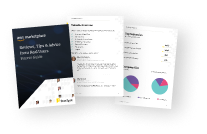
Buyer guide
Gain valuable insights from real users who purchased this product, powered by PeerSpot.
Financing for AWS Marketplace purchases
AWS Marketplace now accepts line of credit payments through the PNC Vendor Finance program. This program is available to select AWS customers in the US, excluding NV, NC, ND, TN, & VT.

Pricing
Free trial
Try this product free according to the free trial terms set by the vendor.
Pricing is based on the duration and terms of your contract with the vendor. This entitles you to a specified quantity of use for the contract duration. If you choose not to renew or replace your contract before it ends, access to these entitlements will expire.
Additional AWS infrastructure costs may apply. Use the AWS Pricing Calculator to estimate your infrastructure costs.
Dimension | Description | Cost/12 months |
|---|---|---|
OneLogin 1-App Plan | Standard User License, OneLogin 1-App Plan for AWS | $12.00 |
OneLogin Advanced Plan | Standard User License, OneLogin Advanced Plan | $48.00 |
OneLogin Professional Plan | Standard User License, OneLogin Professional Plan | $96.00 |
Custom | Private offers available - email partners@onelogin.com | $96.00 |
Vendor refund policy
Please refer to OneLogin terms of service https://www.onelogin.com/terms

Legal
Vendor terms and conditions
Upon subscribing to this product, you must acknowledge and agree to the terms and conditions outlined in the vendor's End User License Agreement (EULA) .
Content disclaimer
Vendors are responsible for their product descriptions and other product content. AWS does not warrant that vendors' product descriptions or other product content are accurate, complete, reliable, current, or error-free.
Delivery details
Software as a Service (SaaS)
SaaS delivers cloud-based software applications directly to customers over the internet. You can access these applications through a subscription model. You will pay recurring monthly usage fees through your AWS bill, while AWS handles deployment and infrastructure management, ensuring scalability, reliability, and seamless integration with other AWS services.
Support
Vendor support
To learn more about OneLogin Customer Support, visit
AWS infrastructure support
AWS Support is a one-on-one, fast-response support channel that is staffed 24x7x365 with experienced and technical support engineers. The service helps customers of all sizes and technical abilities to successfully utilize the products and features provided by Amazon Web Services.
Updated weekly

By One Identity
By JumpCloud, Inc.

By CyberArk
Sentiment is AI generated from actual customer reviews on AWS and G2
Functionality
Ease of use
Customer service
Cost effectiveness
Positive reviews
Mixed reviews
Negative reviews
AI generated from product descriptions
Single Sign-On (SSO)
Automatically synchronizes users across multiple directories to enable one-click access to corporate applications on-premises and in the cloud with enforced security policies and self-service password reset capabilities.
Multi-Factor Authentication (MFA)
Supports multiple authentication methods including passwordless authentication, passkeys, one-time passcodes, push notifications, biometric data, and security keys with real-time reporting and monitoring of authentication events.
Adaptive Authentication
Delivers multi-layer, context-aware and risk-based protection to minimize common attacks and enforce contextual access security policies based on user behavior and risk assessment.
Identity Lifecycle Management
Provides role-based user provisioning engine with granular access permissions, least-privileged access controls, and automated user account provisioning across applications and AWS services.
Directory Integration
Acts as a secure cloud-based directory with integration capabilities for Active Directory, LDAP, G Suite and other external directories, plus pre-built connectors with thousands of third-party web applications and AWS services including AWS IAM, AWS SSO, Amazon Cognito, and Amazon EventBridge.
Cloud Directory Identity Management
Centralize access across all identities with integrations to AWS Identity Center, Google Workspace, Microsoft 365, Active Directory, HRIS platforms, and network infrastructure resources
Single Sign-On and Multi-Factor Authentication
Frictionless, secure access to AWS resources and over 900 pre-built applications with automated user provisioning to Amazon IAM Identity Center and group-based permissions
Cross-Operating System Server and Device Management
Deploy, manage, and remotely assist AWS servers and corporate devices across Windows, macOS, iOS, Linux, AWS Linux AMIs, and Android from a single cloud platform
Passwordless and Conditional Access
Enable phishing-resistant access with passwordless SSO, password management, and conditional access controls to ensure only specific users on trusted devices and networks can access AWS resources
Unified Platform with Zero Trust Capabilities
Combine cloud directory identity management, access management, and cross-OS server and device management with enhanced IAM and device management controls to support Zero Trust security goals
Single Sign-On Capability
Enables one-click secure access to applications and resources including AWS IAM and AWS SSO
Adaptive Multi-Factor Authentication
Supports context and risk-aware authentication methods with passwordless user experience options
Web Session Security and Monitoring
Protects identities beyond login and provides visibility into user actions within web applications
Identity Lifecycle Management and Automation
Automates identity lifecycle events, orchestrates identity workflows, and streamlines access reviews and compliance requirements
Cloud Directory and User Management
Leverages scalable cloud directory to unify user management across enterprise and reduce identity silos
Standard contract
No
No
No
Customer reviews
Cynthia Catherine
Secure single sign-on has improved our login process and protects all employee accounts
Reviewed on Jun 08, 2026
Review from a verified AWS customer
What is our primary use case?
How has it helped my organization?
It simplifies the login process for our end-users, increases our security, saves us time, and reduces errors.
What is most valuable?
One password unlocks all, and there is one click login to all the platforms.
What needs improvement?
The mobile app is not the best, and it could be improved.
For how long have I used the solution?
I have been using the solution for 5 years.
Which solution did I use previously and why did I switch?
I previously used Microsoft Azure . OneLogin is incredible and easy to use. It provides robust security features that simplify our login processes.
What's my experience with pricing, setup cost, and licensing?
It is a must-have for every company looking to secure their accounts and avoid security breaches.
Which other solutions did I evaluate?
I considered Google Cloud CDN .
What other advice do I have?
It is cost-effective and easy to use.
Ronak Sharma
Single sign-on has simplified logins and has improved security with faster authentication
Reviewed on Jun 05, 2026
Review provided by PeerSpot
What is our primary use case?
We use OneLogin to streamline our login process so that we can log in to our different softwares and different tools with one click without having to enter our passwords and IDs repeatedly. This smooths our process of logging into our systems. Additionally, we use it to safeguard our credentials from being stolen by hackers or mischievous elements. This is our main use case.
When an employee of our organization logs in to their system, they would normally need to enter their user ID and password every time they want to log in. However, with OneLogin , they no longer need to enter the password repeatedly or the ID repeatedly. With one click and with an authenticator, they can log in to the system smoothly and efficiently.
What is most valuable?
OneLogin consolidates multiple applications into a single login, which means we can log in to different or a number of applications with a single login. The ease of use of OneLogin is exceptional as it is very easy to use and learn. There is no need for any training. OneLogin consolidates multiple applications so that we can log in to multiple applications with a single click. Additionally, we can use our phone and Face ID to log in to OneLogin, which is very beneficial for us.
It has made things very safer and faster. With two-factor authentication using phone or Face ID, it has made the process very safe and straightforward, making the overall experience very streamlined.
Password vaulting helps us in keeping the password saved so that we do not need to enter it repeatedly when we try to log in. Password vaulting is one of the great features of OneLogin.
After using OneLogin, we have seen a significant increase in the efficiency of employees. Additionally, it has reduced our costs. Our previous solution required us to pay 50% more than we currently pay for OneLogin. The login issues we were facing have reduced in numbers. The number of login issues we faced earlier has been reduced to around 50%.
Regarding phishing resistance, we have seen an increase in safety and security because phishing attacks have been reduced, and we have been able to safeguard our employees from any kind of phishing attack after using OneLogin. This has improved the security of our organization and our employees.
The overall experience for end users in terms of signing in and authenticating has been quite smooth based on feedback received. We have seen a lot of time saved. The efficiency has been increased by 5% after using OneLogin.
What needs improvement?
The integration with third-party software needs to be improved. Whenever we try to log in to any third-party software, it throws errors and glitches. Additionally, when we try to use other authenticator apps like Google Authenticator and Microsoft Authenticator , it does not work very smoothly. These two things need to be improved: the glitches when we try to log in to different products, and the compatibility with other authenticator apps.
For how long have I used the solution?
I have been using OneLogin for the last one year.
What do I think about the stability of the solution?
OneLogin is quite stable. We have not faced any issues with OneLogin in terms of downtime or reliability, so it remains quite stable and smooth.
What do I think about the scalability of the solution?
OneLogin is quite scalable and has handled our growth and changes in our organization very smoothly. It scales according to the needs of our organization.
How are customer service and support?
The customer support for OneLogin is quite good and fluid. We have reached out to OneLogin support multiple times, and the response of the customer support team has been quite efficient; they have been able to solve our queries very smoothly, reactively, and effectively.
Which solution did I use previously and why did I switch?
We were not using any other solutions prior to OneLogin, so this is the first login software that we are using in our organization.
How was the initial setup?
The pricing and setup cost were quite economical when compared to other competitors. Licensing is on a yearly basis for OneLogin.
What about the implementation team?
We purchased OneLogin through the Google Cloud marketplace.
What's my experience with pricing, setup cost, and licensing?
The pricing and setup cost were quite economical when compared to other competitors.
Which other solutions did I evaluate?
We evaluated other options, including Google Authenticator and Microsoft Authenticator . After considering all the available solutions in the market, OneLogin was the software that was fitting our requirements and meeting our needs. We chose OneLogin after carefully considering all the options available in the market.
What other advice do I have?
OneLogin consolidates multiple applications into a single login, which means we can log in to different or a number of applications with a single login. The ease of use of OneLogin is exceptional as it is very easy to use and learn. There is no need for any training. OneLogin consolidates multiple applications so that we can log in to multiple applications with a single click. Additionally, we can use our phone and Face ID to log in to OneLogin, which is very beneficial for us.
The integration with third-party software needs to be improved. Whenever we try to log in to any third-party software, it throws errors and glitches. Additionally, when we try to use other authenticator apps like Google Authenticator and Microsoft Authenticator, it does not work very smoothly. These two things need to be improved: the glitches when we try to log in to different products, and the compatibility with other authenticator apps.
I would rate this product a nine out of ten.
Dnyaneshwar Bhopale
Centralized access management has improved security and reduced password-related support work
Reviewed on Jun 04, 2026
Review provided by PeerSpot
What is our primary use case?
Our main use case for OneLogin is single sign-on, user authentication, and access management, which helps employees securely access multiple business applications with one set of credentials.
For example, our team uses OneLogin to secure access to Microsoft 365 and other internal business applications, allowing employees to sign in once through OneLogin and access all authorized applications.
We use OneLogin for user onboarding and offboarding, where access to required applications can be accessed quickly through OneLogin when a new employee joins, and access can be removed centrally when an employee leaves, improving security and reducing administrative efforts.
What is most valuable?
In my opinion, the best features OneLogin offers are single sign-in, multi-factor authentication, and centralized user management.
The multi-factor authentication feature adds an extra layer of security beyond password, requiring users to verify their identity via methods like Google Authenticator , significantly improving overall security.
OneLogin's user management and integrations are also very valuable, as it integrates with popular cloud applications and allows us to manage user access from a central location.
The integration of phishing-resistant device trust has strengthened our authentication processes by ensuring that only trusted devices can access company resources.
OneLogin has positively impacted our organization by improving both security and operational efficiency through centralized access management and SSO , which has reduced password-related support requests, saving time for both users and the IT team and enhancing overall security.
We don't track the exact figure, but based on our experience, OneLogin has reduced password-related support tickets by around 25 to 30% and has saved several hours of administrative work each month.
OneLogin is a strong platform overall, but the reporting and advanced configuration options could be more intuitive; some administrative tasks and policies configuration have a learning curve for new users, and improving the user interface and providing more detailed built-in reporting would make management more efficient.
What needs improvement?
OneLogin could improve some third-party integrations by making setup and troubleshooting more straightforward; while customer support is generally helpful, faster response times for complex issues would be beneficial.
To be honest, we don't use OneLogin for AI-driven features extensively, so I cannot comment deeply on its output accuracy or reliability.
At this point, we have covered the main areas of improvement; the only additional suggestion would be to continue enhancing the reporting dashboard and simplifying some advanced administrative workflows, as overall, OneLogin is a mature and reliable platform and the needed improvements are not major.
For how long have I used the solution?
I have been using OneLogin for two years.
What do I think about the stability of the solution?
OneLogin has been stable in my experience, with no significant downtime or reliability issues.
What do I think about the scalability of the solution?
OneLogin has scaled well with our organization's growth, handling an increased number of users and applications without any significant performance issues.
How are customer service and support?
Customer support has generally met our expectations, as the support team is very knowledgeable and helpful, with most issues being resolved in a timely manner.
Which solution did I use previously and why did I switch?
Before OneLogin, we had a directory application with a specific authentication method.
How was the initial setup?
Our experience with pricing, setup costs, and licensing for OneLogin has been positive, with the licensing being straightforward and the setup process relatively smooth.
What was our ROI?
We have seen a positive ROI, estimating a 25 to 30% reduction in password-related support tickets and several hours saved for IT administration tickets each month, even though we don't track exact numbers.
Which other solutions did I evaluate?
We reviewed a few other identity and access management solutions, including Microsoft Entra ID and Okta, before choosing OneLogin for its balance of security, ease of administration, integration capabilities, and overall value for our requirements.
What other advice do I have?
I rate OneLogin nine out of 10 for its strong security, reliable SSO , effective user management, and good overall user experience.
I chose nine out of 10 because OneLogin delivers very well on its core functions in MFA, user provisioning, and access management, improving security and simplifying administration for our team, but it doesn't attain a perfect 10 due to some advanced configurations being complex and the reporting capabilities needing to be more flexible.
The sign-in experience is very smooth and user-friendly; single sign-on allows users to access multiple applications with one login, reducing password management burdens and improving productivity while maintaining security.
Smart Factor Authentication applies additional verification when a login appears high-risk, such as from a new device or unfamiliar location, and it does a good job balancing security and usability.
The User Identity Synchronization across directories functionality has helped us by keeping user identities synchronized across systems automatically, which reduces manual efforts and improves accuracy, making user management more efficient.
Overall, OneLogin has been a reliable and effective identity management solution for our organization, with its MFA and user provisioning capabilities improving security and simplifying access management.
I recommend OneLogin to organizations looking for a secure and easy-to-manage identity and access management solution.
Vishal Koovaparambil
Automated access management has reduced onboarding delays and simplified daily user operations
Reviewed on Jun 03, 2026
Review provided by PeerSpot
What is our primary use case?
OneLogin provides secure and simple access to business applications while maintaining centralized control over user identity and authentication policies.
When employees join our company, their application access is provided through OneLogin based on their roles and responsibilities, which depends on the department. This allows new joiners to start working immediately without waiting for manual access requests.
How has it helped my organization?
OneLogin has provided strong access security for our organization, and day-to-day operations are more efficient for both users and administrators.
We have observed approximately 45 to 50% fewer password-related support tickets, faster user onboarding by nearly 60%, and reduced errors.
What is most valuable?
The most valuable features of OneLogin are unified application access, multifactor authentication, and automated user provisioning.
Automated user provisioning has had the most significant impact for my team. Before OneLogin, creating and removing access across multiple systems required several manual steps. Today, most processes happen automatically, which reduces delays and the risk of human errors.
What needs improvement?
The initial setup could be more simplified; apart from this, everything is perfect and a very smooth solution.
For how long have I used the solution?
I have been working in my current field for more than two years.
What do I think about the stability of the solution?
OneLogin is a stable solution.
What do I think about the scalability of the solution?
OneLogin has excellent scalability, making it a scalable solution.
How are customer service and support?
Our experience with the customer support team for OneLogin has been positive, as cases are generally handled professionally and the technical resources are knowledgeable.
I would rate the customer support for OneLogin eight out of 10.
Which solution did I use previously and why did I switch?
We have not switched from a different solution; we have been using OneLogin from day one.
How was the initial setup?
The initial setup could be more simplified; apart from this, everything is perfect and a very smooth solution.
What was our ROI?
We are receiving a positive return on investment with OneLogin since we have seen a reduced amount of time spent managing user accounts by 50% and shortened onboarding cycles, allowing us to save time and money.
What's my experience with pricing, setup cost, and licensing?
The pricing, setup cost, and licensing for OneLogin are handled by a different team.
Which other solutions did I evaluate?
We have not evaluated other options before choosing OneLogin.
What other advice do I have?
My advice for others looking into using OneLogin would be to spend time planning the identity and identity architecture before jumping into deployment and to define proper user roles. Using multifactor authentication from the beginning and automating provisioning will be helpful. I would rate this review nine out of 10.
Aiman Sayyed
Centralized identity has reduced manual onboarding and strengthened adaptive authentication
Reviewed on Jun 02, 2026
Review provided by PeerSpot
What is our primary use case?
We mainly use OneLogin to provide centralized identity service, secure application access, and streamline user authentication across the enterprise applications.
We use OneLogin to connect users to cloud applications through federated authentication, which allows access based on the corporate identity and the policies that we have set.
Identity Federation and Centralized Authentication are outstanding features of OneLogin, along with its multi-authentication, user lifecycle automation, and directory synchronization.
OneLogin's adaptive authentication and policy-based control are helpful and useful for governance and security.
We use OneLogin's SmartFactor Authentication to adjust authentication flows in real-time, depending on the risk score associated with the login attempts, as it maintains a balance between strong security, control, and smooth user experience.
User identity synchronization across directories functionality in OneLogin provides a very positive experience, as the synchronization process is smooth.
Integrating phishing-resistant device trust has had a really positive impact on our authentication processes because the synchronization capability helps maintain consistent user information across the Active Directory and its connected applications from a centralized location.
OneLogin's ability to provide a seamless end-user experience for signing in and authenticating to needed applications is really positive, as we receive very positive responses from end-users on the usability of the authentication.
We use Vigilance AI with OneLogin to analyze and detect risky behavior of users, and the feature improves our ability to identify potential risky authentication attempts by analyzing many factors such as device characteristics, IP reputation, and login location. When suspicious activity is detected, it enforces and triggers MFA or additional verification steps.
HR-driven identity management plays a very important role in automating employee onboarding because whenever any employee information is updated in the HR system, it automatically triggers account creation in OneLogin and all related tasks like role changes and access assignments are automated based on predefined policies, which reduces manual work significantly.
What is most valuable?
OneLogin has impacted our organization very positively in many ways because it has reduced identity management overhead on the IT team, improved user authentication security, and simplified access administration.
Since we have adopted OneLogin, we have seen account-related support requests reduced by 40 to 50%, and the onboarding process is faster than before, reducing administrative effort by 60 to 70%.
OneLogin meets our expectations because it provides reliable and accurate output in terms of its AI capabilities.
We have seen a return on investment with OneLogin as we are happy with the solution, experiencing significant time savings and cost benefits due to its automation of manual tasks.
We have seen tickets related to password or account issues reduced by 70 to 80% since adopting OneLogin, and the user onboarding now only requires 10 to 15 minutes, which is a significant improvement in productivity from day one.
What needs improvement?
OneLogin does a good job in terms of the features it offers, so the only thing that could be improved is its granular reporting; apart from this, everything is outstanding.
For how long have I used the solution?
I have been working in my current field for almost two years.
What do I think about the stability of the solution?
OneLogin is a very stable solution based on my experience.
What do I think about the scalability of the solution?
OneLogin's scalability is excellent, as the solution is very scalable.
How are customer service and support?
Customer support for OneLogin is provided by very knowledgeable people who troubleshoot complex technical issues and provide 24/7 support.
How was the initial setup?
My experience with pricing, setup cost, and licensing for OneLogin was straightforward, and we did not have any challenges.
What was our ROI?
We have seen a return on investment with OneLogin as we are happy with the solution, experiencing significant time savings and cost benefits due to its automation of manual tasks.
What other advice do I have?
My advice to others looking into using OneLogin would be to conduct a proof of concept first, define your use cases, and based on that, you can see the outputs. Based on that, you can procure the solution, which will be helpful for the organization in automating manual efforts and significantly reducing work for the IT team. I gave this solution a rating of 9.