
Sold by: Check Point Software Technologies
Deployed on AWS
Free Trial
Check Point Check Point Cloud Firewall is a cloud-native security gateway that delivers automated, advanced threat prevention and multi-layered network security for assets that customers migrate to or store on AWS. Try it free for 30 days.
4.4
Overview


Video
Video 1

Video
Product video
Check Point Check Point Cloud Firewall is a cloud-native security gateway that delivers industry-leading threat prevention and multi-layered network security for workloads migrated to or deployed in AWS environments.
Comprehensive Cloud Network Security: Check Point Cloud Firewall for AWS protects cloud assets with a full suite of advanced security capabilities, including: firewall, Data Loss Prevention (DLP), Intrusion Prevention System (IPS), application control, IPsec VPN, URL filtering, antivirus, and anti-bot. These features enable proactive defense against known and unknown threats, ensuring robust protection for cloud workloads.
Industry-Leading Threat Prevention: Check Point Cloud Firewall for AWS provides advanced threat prevention to secure AWS environments from sophisticated threats, unapproved access, and application-layer Denial of Service (DoS) attacks with industry-leading catch rates.
Full Control of Network Traffic: Check Point Cloud Firewall for AWS ensures secure, encrypted data flows between your on-premises network and your AWS VPCs. It inspects traffic entering and exiting private subnets in the VPC ("North-South") as well as between VPCs ("East-West").
Unified Security Management: Extend on-premises security policies into the AWS cloud with unified, centralized management via Check Point Security Management Server. Manage policies, logs, and reports consistently across AWS, hybrid, and on-premises environments from a single pane of glass. This listing includes the gateway only. For management, use Check Point Smart-1 Cloud: https://www.checkpoint.com/quantum/unified-cyber-security-platform/smart-1-cloud/
Automated, Scalable Cloud Security: Integrates with infrastructure-as-code tools like Terraform and Ansible for policy automation and cloud-native scaling. Cloud Firewall dynamically adapts security policies based on real-time cloud metadata and changes. Supports AWS Transit Gateway, auto-scaling, high availability, and multi-AZ redundancy.
Flexible Licensing and Seamless AWS Integration: Deploy within minutes as either a single gateway, as a high availability cluster, or as an auto scaling group via Check Point CloudFormation templates (sk111013). Recommended deployment on a 4 vCPU instance for optimal performance. Check Point Cloud Firewall integrates with a broad range of AWS services, including Gateway Load Balancer, AWS Security Hub, VPC Ingress Routing, AWS Traffic Mirroring, AWS Transit Gateway, AWS Outposts, and Amazon Macie.
Getting Started: Supports both Pay-As-You-Go (PAYG) and Bring Your Own License (BYOL) models with a flexible pricing model that supports both usage-based billing and contract-based subscriptions. Start your free 30-day trial to gain full access to Cloud Firewall's features and capabilities. At the end of the trial, your subscription will automatically convert to a paid, usage-based plan, unless canceled beforehand. Request a private offer for custom pricing and terms. For a guided walkthrough, you may request a product demo through this listing.
Highlights
- Advanced Protection with Security Features: Firewall, DLP, IPS, Application Control, IPsec VPN, URL Filtering, Antivirus and Anti-Bot.
- Industry-Leading Threat Prevention: Cutting-edge threat prevention with industry-leading catch rate of malware, ransomware and other types of attacks (per Miercom and Cyberratings, 2025).
- Unified Security Management: Provides consistent visibility, policy management, logging, reporting and control across hybrid-clouds and on-premises from a single pane of glass.
Details
Categories
Delivery method
Delivery option
64-bit (x86) Amazon Machine Image (AMI)
Latest version
Operating system
OtherLinux Gaia 3.10
Deployed on AWS
New
Introducing multi-product solutions
You can now purchase comprehensive solutions tailored to use cases and industries.

Features and programs
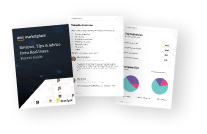
Buyer guide
Gain valuable insights from real users who purchased this product, powered by PeerSpot.
Financing for AWS Marketplace purchases
AWS Marketplace now accepts line of credit payments through the PNC Vendor Finance program. This program is available to select AWS customers in the US, excluding NV, NC, ND, TN, & VT.

Pricing
Free trial
Try this product free for 30 days according to the free trial terms set by the vendor. Usage-based pricing is in effect for usage beyond the free trial terms. Your free trial gets automatically converted to a paid subscription when the trial ends, but may be canceled any time before that.
Pricing is based on actual usage, with charges varying according to how much you consume. Subscriptions have no end date and may be canceled any time. Alternatively, you can pay upfront for a contract, which typically covers your anticipated usage for the contract duration. Any usage beyond contract will incur additional usage-based costs.
Additional AWS infrastructure costs may apply. Use the AWS Pricing Calculator to estimate your infrastructure costs.
Dimension | Cost/hour |
|---|---|
c6in.xlarge Recommended | $0.96 |
r5a.2xlarge | $1.58 |
c7a.12xlarge | $9.23 |
c7i-flex.16xlarge | $12.08 |
m6a.large | $0.84 |
c5n.4xlarge | $3.15 |
m6a.8xlarge | $6.16 |
c6in.8xlarge | $6.16 |
c6in.large | $0.84 |
r7a.4xlarge | $3.15 |
Vendor refund policy
Terminate the instance at any given time to stop incurring charges.
Custom pricing options
Request a private offer to receive a custom quote.

Legal
Vendor terms and conditions
Upon subscribing to this product, you must acknowledge and agree to the terms and conditions outlined in the vendor's End User License Agreement (EULA) .
Content disclaimer
Vendors are responsible for their product descriptions and other product content. AWS does not warrant that vendors' product descriptions or other product content are accurate, complete, reliable, current, or error-free.
Delivery details
64-bit (x86) Amazon Machine Image (AMI)
Amazon Machine Image (AMI)
An AMI is a virtual image that provides the information required to launch an instance. Amazon EC2 (Elastic Compute Cloud) instances are virtual servers on which you can run your applications and workloads, offering varying combinations of CPU, memory, storage, and networking resources. You can launch as many instances from as many different AMIs as you need.
Additional details
Usage instructions
Once the instance is running, connect to it using SSH, set an admin password using: 'set user admin password' followed by 'save config'. Then connect to https://[instance] using Internet Explorer (IE) to finalize the configuration. Notes:
- SSH password authentication is disabled in /etc/ssh/sshd_config
- For information regarding Firefox and Chrome refer to sk121373.
Support
Vendor support
This offer includes Premium Support. For the full list of included support services visit: https://www.checkpoint.com/support-services/support-plans/ To open a support ticket, you would need to have a Check Point user center account. If you do not have a user center account, you can sign up for one here: https://accounts.checkpoint.com . Need support? Contact us at https://www.checkpoint.com/support-services/contact-support/
AWS infrastructure support
AWS Support is a one-on-one, fast-response support channel that is staffed 24x7x365 with experienced and technical support engineers. The service helps customers of all sizes and technical abilities to successfully utilize the products and features provided by Amazon Web Services.
Updated weekly
By Check Point Software Technologies

By Palo Alto Networks

By Juniper Networks
Top
10
In Log Analysis, Network Infrastructure
Top
10
In Network Infrastructure, Security
Top
50
In Migration
Sentiment is AI generated from actual customer reviews on AWS and G2
Functionality
Ease of use
Customer service
Cost effectiveness
Positive reviews
Mixed reviews
Negative reviews
AI generated from product descriptions
Advanced Threat Prevention Capabilities
Includes firewall, Data Loss Prevention (DLP), Intrusion Prevention System (IPS), application control, IPsec VPN, URL filtering, antivirus, and anti-bot features for multi-layered network security.
Traffic Inspection and Control
Inspects and controls encrypted data flows between on-premises networks and AWS VPCs, including North-South traffic entering and exiting private subnets and East-West traffic between VPCs.
Infrastructure-as-Code Integration
Integrates with infrastructure-as-code tools including Terraform and Ansible for policy automation, with dynamic security policy adaptation based on real-time cloud metadata.
AWS Service Integration
Supports integration with Gateway Load Balancer, AWS Security Hub, VPC Ingress Routing, AWS Traffic Mirroring, AWS Transit Gateway, AWS Outposts, and Amazon Macie.
Centralized Security Management
Provides unified, centralized management through Check Point Security Management Server with consistent policy, logging, and reporting across AWS, hybrid, and on-premises environments.
Advanced Threat Prevention
Safeguards network from known and zero-day threats including exploits, malware, spyware, and command and control attacks using researcher-grade signatures and machine learning inspection engine.
Advanced URL Filtering
Defends against phishing, ransomware, and web-based attacks using inline machine learning-based web security engine with real-time detection of previously unseen threats and dynamic policy controls.
File-Based Threat Detection
Identifies file-based threats through inline static and dynamic analysis in the cloud with proprietary hypervisor technology for detection of sandbox-resistant malware.
DNS Security
Detects and prevents sophisticated DNS-layer network attacks and data exfiltration attempts.
Dynamic Policy Management
Applies policy definitions to cloud assets based on AWS tags, Application IDs, User IDs, geographies, or zones with automatic adaptation to infrastructure changes without manual intervention.
Next Generation Firewall Architecture
High-performance firewall solution with core firewall, VPN, NAT, and advanced L4-L7 security services including application security, IPS, and anti-virus capabilities.
Anti-Virus and Malware Protection
Cloud-based anti-virus protection that detects and blocks spyware, adware, viruses, keyloggers, and other malware over POP3, HTTP, SMTP, and FTP protocols.
Intrusion Detection and Prevention
Intrusion detection and prevention (IPS) system integrated with application visibility and control through AppSecure for threat detection and workload protection.
VPN and Secure Connectivity
IPsec and full mesh VPN termination services enabling secure connectivity from on-premises data centers, campuses, and branches to AWS cloud across geographically dispersed VPCs.
AWS Cloud Service Integration
Native integration with AWS services including Elastic Load Balancer, Auto-Scaling Groups, CloudWatch, Security Hub, Key Management Service, Elastic Network Adapter support, and Gateway Load Balancer with L3 gateway and L4 load balancer capabilities.
Standard contract
No
No
No
Customer reviews
Wealie Antar
Cloud security has improved visibility and detection and supports confident migrations
Reviewed on May 22, 2026
Review provided by PeerSpot
What is our primary use case?
I am no longer working with Barracuda products and have shifted to Check Point Cloud Firewall (formerly CloudGuard Network Security) . Check Point Cloud Firewall (formerly CloudGuard Network Security) is used within my company.
The features I find most valuable include the reporting, detection rate of the firewall, and automatic blocking of content in inbound traffic.
I utilize only the Check Point Cloud Firewall (formerly CloudGuard Network Security) firewall and am not using any other Check Point products alongside it.
What is most valuable?
The features I find most valuable include the reporting, detection rate of the firewall, and automatic blocking of content in inbound traffic.
The benefits I have seen using it include reporting, the dashboard, and how it catches the logs. This is particularly valuable for a manager who has to deal with multiple things.
Check Point Cloud Firewall (formerly CloudGuard Network Security) has impacted my organization positively so far.
What needs improvement?
Check Point Cloud Firewall (formerly CloudGuard Network Security) can be improved by bundling more products. As a consumer in the market, I would appreciate at least one or two extra features within the box.
Competitors in the market such as Palo Alto or Fortinet offer more features within their ecosystem. Palo Alto offers extra features within their offering, though it is expensive. If Check Point is not bidding competitively, people may let go of Check Point. The offerings and the price being paid sometimes make Check Point difficult to justify during the initial purchase.
Check Point Cloud Firewall (formerly CloudGuard Network Security) is not very user-friendly. The UI is complex to understand initially, but once I became familiar with it, it became easier.
Exploring the full capabilities by just browsing the website is not possible. Visiting the website regularly is necessary if you are new to Check Point Cloud Firewall (formerly CloudGuard Network Security).
For how long have I used the solution?
I have been working with Check Point Cloud Firewall (formerly CloudGuard Network Security) for almost a year.
What do I think about the scalability of the solution?
The initial setup was somewhat challenging. Check Point Cloud Firewall (formerly CloudGuard Network Security) offers versatility and elasticity for expansion. In case of major workloads, I can vertically stack and grow by adding new hardware. The old and new hardware work in harmony together.
How are customer service and support?
The technical support is quite good so far, particularly the local support.
Which solution did I use previously and why did I switch?
Before finally choosing Check Point Cloud Firewall (formerly CloudGuard Network Security), I evaluated other options including Fortinet and Palo Alto.
I finally chose Check Point Cloud Firewall (formerly CloudGuard Network Security) because of everything it offers. In my country, the pricing falls in the middle range. Palo Alto is the most expensive option, and Fortinet is the cheapest. I do not prefer Fortinet because I feel they are not very strong with detection. Palo Alto was too expensive for my budget.
How was the initial setup?
The initial setup was somewhat challenging. Check Point Cloud Firewall (formerly CloudGuard Network Security) offers versatility and elasticity for expansion. In case of major workloads, I can vertically stack and grow by adding new hardware. The old and new hardware work in harmony together.
What was our ROI?
It is very difficult to determine any return on investment with Check Point Cloud Firewall (formerly CloudGuard Network Security) within a very short span of time. It has only been a year, so I may be able to assess this after another year or so.
Which other solutions did I evaluate?
Before finally choosing Check Point Cloud Firewall (formerly CloudGuard Network Security), I evaluated other options including Fortinet and Palo Alto.
What other advice do I have?
Check Point Cloud Firewall (formerly CloudGuard Network Security) has a nominal impact on my organization. Currently, the landscape is mainly relying on identity. Based on the identity side, Check Point Cloud Firewall (formerly CloudGuard Network Security) does not have much responsibility within my premise or within my system architecture.
Check Point Cloud Firewall (formerly CloudGuard Network Security) has impacted my confidence in secure cloud deployments and migrations. The product is not very user-friendly, and the UI is complex to understand initially, but once I became familiar with it, it became easier. Exploring the full capabilities by just browsing the website is not possible. Visiting the website regularly is necessary if you are new to Check Point Cloud Firewall (formerly CloudGuard Network Security).
Karsh Trivedi
Network security has protected our cloud workloads and simplifies secure access for remote sites
Reviewed on May 20, 2026
Review from a verified AWS customer
What is our primary use case?
My main use case for Check Point Cloud Firewall (formerly CloudGuard Network Security) is to secure my Amazon Web Services , also known as AWS environment.
I use Check Point Cloud Firewall (formerly CloudGuard Network Security) to secure my AWS environment by configuring it to be the main entry point for any web request that comes into our EC2 servers. It is in the public subnet and has been configured to communicate with the private subnet.
How has it helped my organization?
Check Point Cloud Firewall (formerly CloudGuard Network Security) has positively impacted my organization by mainly helping us secure our cloud environment at the network base. It was a bit cheaper than whatever AWS was offering. Being a network level of security, it was more aligned with what we were thinking as a use case.
What is most valuable?
The best features Check Point Cloud Firewall (formerly CloudGuard Network Security) offers for me are its Threat Protection and Check Point VPN facilities.
The Threat Protection feature helps me in my day-to-day work by actually protecting us from malicious requests getting in by itself. It has machine learning rules deployed on their end, which helps us identify and automatically block malicious requests coming in from the web.
Additionally, I was using RADIUS VPN and it is quite stable for providing site-to-site connectivity between my endpoints to my cloud environment.
What needs improvement?
The only thing I think can be improved about Check Point Cloud Firewall (formerly CloudGuard Network Security) is their syslog logging facility. Currently, the logs that come into our SIEM platform via syslog are creating a lot of noise. If something had to be improved, I would suggest it improves its logging facility and provides more contextualized logs so that it is easier for security analysts to understand and make queries around it.
For how long have I used the solution?
I have been using Check Point Cloud Firewall about three years.
What do I think about the stability of the solution?
Check Point Cloud Firewall (formerly CloudGuard Network Security) is stable.
What do I think about the scalability of the solution?
The scalability of Check Point Cloud Firewall (formerly CloudGuard Network Security) is pretty good and automated.
How are customer service and support?
The customer support for Check Point Cloud Firewall (formerly CloudGuard Network Security) is pretty good.
I would rate the customer support a 10 out of 10 because it provides a lot of information and it quickly helps in resolving the issue.
Which solution did I use previously and why did I switch?
I did not use any different solution than Check Point Cloud Firewall (formerly CloudGuard Network Security).
How was the initial setup?
I was not a part of pricing, setup cost, or licensing.
What about the implementation team?
I did not evaluate any other options before choosing Check Point Cloud Firewall (formerly CloudGuard Network Security).
Which other solutions did I evaluate?
I have not compared Check Point Cloud Firewall (formerly CloudGuard Network Security) to any other solutions.
What other advice do I have?
I would suggest that if your budget allows it and you know how to configure it properly, do go for Check Point Cloud Firewall (formerly CloudGuard Network Security) as it is a very good product to be used. I would rate this product a 9 out of 10 overall.
Which deployment model are you using for this solution?
Public Cloud
If public cloud, private cloud, or hybrid cloud, which cloud provider do you use?
Amazon Web Services (AWS)
RahulKamble
Centralized security management has improved compliance visibility across multiple sectors
Reviewed on May 18, 2026
Review provided by PeerSpot
What is our primary use case?
We are the system integrator for Check Point Cloud Firewall (formerly CloudGuard Network Security) .
We work with the BFSI, Bank and Finance domain, government segment, as well as corporate industry. In the BFSI and bank and finance sectors, we have deployed this solution to multiple customers including many corporate banks, financial institutes, and trading companies. Most trading companies are using Check Point Cloud Firewall (formerly CloudGuard Network Security) from our side, and we have deployed it for multiple customers.
For application control, intrusion prevention, IPS, anti-bot, sandboxing, zero-day attacks, Zero Trust Network, ZTNA , and multiple features including remote access, encryption communication, and secure integration with Active Directory and LDAP, our customers typically use this solution.
What is most valuable?
Smart console and centralized policy management are the most valuable and useful features of Check Point Cloud Firewall (formerly CloudGuard Network Security). This is the best feature in Check Point along with logging, monitoring, and event monitoring features.
Customers are using it for multiple users, multiple applications, multiple sites, URLs, and many other things. Therefore, they need complete visibility. When logs are collected centrally, a central administrator and central log manager can pull all the details and use them whenever an audit occurs or any kind of compliance is required; they can pull those details easily.
Check Point Cloud Firewall (formerly CloudGuard Network Security) has multiple models available based on user base and user count, including 1530, 1570, and 1590. These are all Quantum Cloud Firewall models, and the Quantum series and 7000 series are also available.
Check Point Cloud Firewall (formerly CloudGuard Network Security) has features that other products do not have, including a very good email security solution. Customers want to switch from those products to Check Point because it has comprehensive email security solutions, and Check Point Cloud Firewall (formerly CloudGuard Network Security) covers that as well. Check Point Harmony Collaboration is the best solution for email security.
What needs improvement?
Check Point Cloud Firewall (formerly CloudGuard Network Security) is already good in the enterprise segment and corporate industries. However, they should have some smaller appliances for some small SMB customers.
For how long have I used the solution?
I have been working with this product specifically for the last 12 years.
What do I think about the stability of the solution?
Check Point Cloud Firewall (formerly CloudGuard Network Security) is a really stable firewall from both hardware and application perspectives, so I do not anticipate finding any challenges with power fluctuations or anything else that might go wrong. Check Point Cloud Firewall (formerly CloudGuard Network Security) is rugged and does not crash.
What do I think about the scalability of the solution?
Check Point Cloud Firewall (formerly CloudGuard Network Security) has multiple models available based on user base and user count, including 1530, 1570, and 1590. These are all Quantum Cloud Firewall models, and the Quantum series and 7000 series are also available.
How are customer service and support?
I do not often communicate with the technical support of Check Point Cloud Firewall (formerly CloudGuard Network Security) because we have our expert team that implements those solutions themselves.
Which solution did I use previously and why did I switch?
Customers were using other solutions such as Sophos and Fortinet before they migrated to Check Point Cloud Firewall (formerly CloudGuard Network Security). The transition was very easy for them as they received all the details in a single dashboard, in a single pane of situation, and all the details are available in log event management solutions.
Customers typically used Fortinet, Sophos, and SonicWall before using Check Point Cloud Firewall (formerly CloudGuard Network Security).
How was the initial setup?
I do participate in the initial setup of Check Point Cloud Firewall (formerly CloudGuard Network Security).
There is no complexity in the implementation for Check Point Cloud Firewall (formerly CloudGuard Network Security); it is easy to configure.
I have not faced many challenges during the initial setup; it has always been straightforward and simple.
What about the implementation team?
We are the system integrator for Check Point Cloud Firewall (formerly CloudGuard Network Security).
What was our ROI?
Check Point Cloud Firewall (formerly CloudGuard Network Security) is definitely a cost-effective solution. When customers buy it and when they expand on this technology, it definitely gives them ROI, return on investment.
Which other solutions did I evaluate?
Check Point Cloud Firewall (formerly CloudGuard Network Security) is easy to implement, easy to use, easy to install, and easy to configure, especially compared to other competitors such as Palo Alto, Fortinet, Sophos, and SonicWall. Therefore, Check Point is pretty comfortable and easy to use.
Check Point Cloud Firewall (formerly CloudGuard Network Security) can be integrated with other firewalls, other network switches, and other network devices with the same solutions. There is nothing hard to implement; it is easy to integrate with other technologies.
What other advice do I have?
Check Point Cloud Firewall (formerly CloudGuard Network Security) is a good solution for organizational prospects helping to reduce risk. Customers are using multiple features such as malware detection, ransomware, zero-day attacks with ZTNA . All the features are available as blade technologies, while others have UTM features; Check Point has blade security solutions, and that is the main use case.
Check Point Cloud Firewall (formerly CloudGuard Network Security) comes under MPLS, SD-WAN, VLAN, and all those features. Moreover, all bundled solutions are available in Check Point, so I do not see that many additional features are needed.
Regarding the documentation I usually use, it is in a presentation type of document focused on customer presentation. I use different types of documents, and if anything is readily available for customer presentations, that is very helpful. Every detail I need is already in the documentation, and I can find it easily.
I give this solution a rating of 9 out of 10.
Tejas Jain
Cloud security has unified visibility and risk mitigation but still needs stronger features
Reviewed on May 15, 2026
Review from a verified AWS customer
What is our primary use case?
Check Point Cloud Firewall (formerly CloudGuard Network Security) is a cloud-native application protection platform and a suite of multiple products. We primarily use it for our hybrid multi-cloud environment, primarily around cloud environments. The deployments for different clients were a bit different. For one of the clients, it was just a single cloud vendor, which I believe was AWS , and then multi-organizations with hierarchical architecture.
The intent was to manage hundreds or perhaps thousands of EC2 instances and Kubernetes workloads, EKS (Elastic Kubernetes Service), and a lot of PaaS applications, Infrastructure as a Service , container registries, and ECR. The end result was to understand the overall security posture of the cloud, figure out if there are any deviations, and make sure that there is no zero-day and all the detections are in place. Check Point Cloud Firewall (formerly CloudGuard Network Security) is a typical CNAPP suite that comprises cloud workload protection, runtime security, and code quality checks, not just your typical SonarQube or SAST , but definitely something that can integrate with your VCS .
What is most valuable?
The advantages of Check Point Cloud Firewall (formerly CloudGuard Network Security) as a service provider include the platformization story that every single major security provider is doing, something similar to what Palo Alto does.
Check Point had lacked this particular capability in their product stack, so they brought in CloudGuard, integrated it, and used many of the Check Point next-gen firewalls capabilities, along with threat intelligence. This typically brings a lot of other security solutions together, gearing it primarily for the cloud and multi-cloud environment.
With regards to capabilities, it helps detect any attacks that typically fall under the zero-day category. I would not focus on signature-based scanning because that is something everyone can do practically. You can build policies to avoid unintended exposure of storage buckets, sensitive data disclosure, and manage misconfigured policies or privileges that are quite extensive, not following the least privilege principle. It also takes care of that.
Check Point has augmented many API security capabilities as well. If you are hosting any APIs using AWS PaaS services, such as API Gateway Lambda, even on-premises, it can fairly detect standard web vulnerabilities, OWASP Top 10, and all of that. I think that is decent as well. We have pretty much got most of them.
Regarding organizational risk, Check Point Cloud Firewall (formerly CloudGuard Network Security) is definitely meant for improved visibility and risk mitigation. If you have got multi-cloud environments, you cannot use cloud-native services efficiently and effectively because you look at two or three different clouds with controls scattered across them. You do not have a centralized pane of glass, and you do not know what happens to a particular traffic flow if it is moving from one cloud to another. This product is not just Check Point that does this; Palo Alto and Wiz also provide similar solutions to an extent. You get an entire view of it, knowing what controls already exist, which helps build additional policies and definitely aids in risk mitigation.
What needs improvement?
Check Point Cloud Firewall (formerly CloudGuard Network Security) is definitely lagging behind its peers. I am not sure what the reason is. Compared to Palo Alto, they are not there in terms of capabilities and feature set. I do not think there are any obvious misses, but there is mostly lesser adoption in the industry.
Regarding the negatives, sometimes we encounter challenges, especially if a feature may not be working, but that is typical of any vendor. There is no glaring gap; it is a solid product, but based on my experience, the adoption has not been on par with what its peers are doing.
From time to time, we do face challenges with some features, especially if you need to configure a policy where you may need false positive fine-tuning. Sometimes, you have these anomaly detections, which are crucial from a zero-day attack perspective, but they can create a lot of false positives. When you have to tweak, you sometimes need to bring in technical assistance or professional services to achieve what you want. The documentation may not be quite sufficient. There were instances in the past, but I am not sure if they have ramped it up quite significantly recently.
For how long have I used the solution?
I have been dealing with the product for about three and a half to four years, starting after COVID for sure. It happened sometime back in 2022, which was the first time that we saw and used that as a comparison with Palo Alto and other firewall products, Cisco Secure Firewall . Check Point ramped up a lot of its capabilities, including CNAPP and all the additional detections that it can bring in, threat prevention, and then adding on visibility, deep packet inspection, and things of that nature. So it has been about four to four and a half years now.
What do I think about the stability of the solution?
Check Point Cloud Firewall (formerly CloudGuard Network Security) was stable; we never had any outages because of it, so definitely stable. We had a couple of instances, but I would not count that against Check Point since that is typical for most vendors. We raised a couple of feature requests that they introduced in later releases, which made us happy. Nothing glaringly bad; it was mostly stable. Because it is more of a CNAPP solution, it will not disrupt significantly, and we had a very conservative configuration, especially regarding preventive controls.
What do I think about the scalability of the solution?
The product is super easy to scale; just talk to PS. If you do it on day zero, then that is really great. Wanting to do it afterward is possible, but you have to plan it well.
How are customer service and support?
The technical support is great. When working with an EMEA client, the majority of the TAC was based out of Israel, and they are fantastic with quick resolutions and turnaround times.
I would rate Check Point's support nine out of ten; they are really good.
Which solution did I use previously and why did I switch?
I have tried both Check Point Cloud and other providers such as AWS. If I were not under strict regulatory jurisdiction, I would prefer Check Point Cloud itself, as you get better support and they own the infrastructure. Troubleshooting becomes simple, and they seamlessly take care of the pre-provisioning of the underlying infrastructure. However, for a few clients in financial services with strict regulatory requirements, we had to create it on our infrastructure.
How was the initial setup?
The deployment of Check Point Cloud Firewall (formerly CloudGuard Network Security) is very seamless. It learns when you operate in monitoring mode on day zero and day one, understanding the lay of the land, checking what services you have, tweaking them, and applying policy compliance templates like PCI DSS or HIPAA. You can use all those templates to start configuring your policies, so it is pretty robust. Day zero is smooth, just API integration, service principal, and API keys. If you need to integrate with GitHub or other platforms, there are additional integrations, but it serves the purpose by default.
The deployment procedure for Check Point Cloud Firewall (formerly CloudGuard Network Security) is straightforward and takes only a couple of minutes for initial integrations. Fine-tuning takes some time because every environment is different, and you must first understand what the product does and its capabilities before tailoring the configuration. But it is really straightforward, and they have it well documented. If you are using very unusual SaaS applications or non-standard configurations, that might take a bit more time, but that is the same for most others.
What was our ROI?
You cannot compare ROI from one vendor to another definitively, but if I compare against capabilities that I never had before bringing in Check Point Cloud Firewall (formerly CloudGuard Network Security), then there is quite a decent ROI. The product itself is cheap; whatever capabilities that you get are significant. Low cost significantly brings a decent ROI. Additionally, because you have a centralized pane of glass to manage the entire infrastructure, the cloud security piece reduces the workforce needed for management, which definitely contributes to ROI.
What's my experience with pricing, setup cost, and licensing?
Check Point Cloud Firewall (formerly CloudGuard Network Security) is comparatively conservative in terms of pricing; it is not a very expensive product. If you are a Check Point shop with multiple products throughout your infrastructure and have a good relationship with a decent reseller, then I think their pricing is much more conservative compared to Palo Alto and a couple of other vendors.
Which other solutions did I evaluate?
If you look at adoption, if you have got ten clients, then seven or eight of them go with Palo Alto, and the remainder get scattered between Cisco and Check Point.
What other advice do I have?
If you are a Check Point shop, then it integrates really well. The basic integrations that you have with identity and access management and SIEM solutions or SOAR platforms work well. All decent vendors have playbooks that center around Check Point, so I think those are decent and not a challenge. There are a lot of out-of-the-box integrations available, and if you want to build custom integrations, you can work with the TAC or professional services and get that done. If you are a Check Point shop in its entirety, if you have got CloudGuard, Harmony, and the old Check Point UTMs or next-gen firewalls, all of them stitch seamlessly together.
Check Point Cloud Firewall (formerly CloudGuard Network Security) is available through the AWS marketplace, and if you have got a committed spend, you can use that toward purchasing via the marketplace. While I have not used it personally, it was communicated as an option available by our resellers.
I would rate Check Point Cloud Firewall (formerly CloudGuard Network Security) somewhere around seven or eight overall. The adoption is a bit low, which makes me curious about the roadmap; if you have a great market share, you typically see a very decent number of feature releases coming out all the time. Considering stability, ROI, and other factors, I think seven is a fair rating.
Which deployment model are you using for this solution?
Public Cloud
If public cloud, private cloud, or hybrid cloud, which cloud provider do you use?
Amazon Web Services (AWS)
Mohan Janarthanan
Cloud security has become unified and object-based whitelisting now simplifies traffic control
Reviewed on May 15, 2026
Review provided by PeerSpot
What is our primary use case?
I use Check Point Cloud Firewall (formerly CloudGuard Network Security) to protect my network assets on the firewall front, managing the inbound and outbound traffic for my cloud workload.
The biggest advantage of Check Point Cloud Firewall (formerly CloudGuard Network Security) for me is routing my traffic and whitelisting my outbound traffic to my vendors, partners, and clients. I am using it for both outbound and inbound traffic purposes. Whenever there was an inspection on the network front, I used network IPS. When whitelisting our applications on the inbound part, I whitelist the application control to my cloud users to connect those particular applications.
What is most valuable?
Integrating with other Check Point products is easy because Check Point offers a platform-based approach rather than a tool-based solution. Within one platform, I can integrate the tools so that I get the visibility.
Check Point Cloud Firewall (formerly CloudGuard Network Security) has a significant impact on my confidence in secure cloud deployments and migrations. The experience is good. For providing internet access across my cloud platform, using Check Point Cloud Firewall (formerly CloudGuard Network Security) means I can push the policy from a single console. Check Point has a gateway and a policy manager, so across unified policy, I can push it. An important feature with Check Point is object-level whitelisting. For example, I whitelist Office 365 . I do not want to whitelist their IP. If I am whitelisting their object in the FQDN piece, there is no need to modify the IP. Sometimes Microsoft changes IPs, and we do not want to whitelist again and again. By whitelisting the object, life is simpler. We do not want to continuously whitelist the IPs.
Check Point Cloud Firewall (formerly CloudGuard Network Security) helps to reduce my organizational risk significantly. I would say that unified AI threat prevention is good. Compared to other solutions, it definitely reduces our threat prevention. I cannot specify a number because all products have different solutions, but I would say that the product detects the threat expectation at double nine.
What needs improvement?
The only negative aspect is that they have to improve the UI. The UI is very slow, and getting the graph details on the security performance metrics is lagging. That is the only thing I feel is not currently available in Check Point.
I would like to see improvements in the graphical aspect of the UI. They definitely have to enhance that.
For how long have I used the solution?
I have been using Check Point Cloud Firewall (formerly CloudGuard Network Security) for six months since I started.
What do I think about the stability of the solution?
Since I have been using Check Point Cloud Firewall (formerly CloudGuard Network Security) for six months, I have not seen any glitches or downtime at all. The advantage with them is stability.
What do I think about the scalability of the solution?
In terms of scalability, it is very easy to scale up or scale out based on my license and traffic pattern. If I do not size the proper traffic, then I have to buy the sizing. We have not come across any such situations.
How are customer service and support?
Support is helpful and very responsive.
If I were to rate support from zero to ten points, I could give it eight point five or nine.
How was the initial setup?
In terms of the installation procedure, the initial setup was complicated, but after that, the implementation is fine.
What was our ROI?
I am able to observe ROI with Check Point Cloud Firewall (formerly CloudGuard Network Security), and I see some savings in terms of time or money.
If I were to quantify the ROI, I would say it is around fifteen to twenty percent.
What's my experience with pricing, setup cost, and licensing?
In terms of price and license, I would say Check Point Cloud Firewall (formerly CloudGuard Network Security) is not expensive. The pricing is moderate.
What other advice do I have?
Check Point stands out, and I can confidently say it stands out.
My biggest challenge while deploying Check Point Cloud Firewall (formerly CloudGuard Network Security) is arriving at the right architecture in the right place. I give this review an overall rating of nine.